Traditional Supplier Management vs. Clover
What traditional supplier management looks like in practice, the same supplier onboarded both ways, and when supplier management software is worth it.


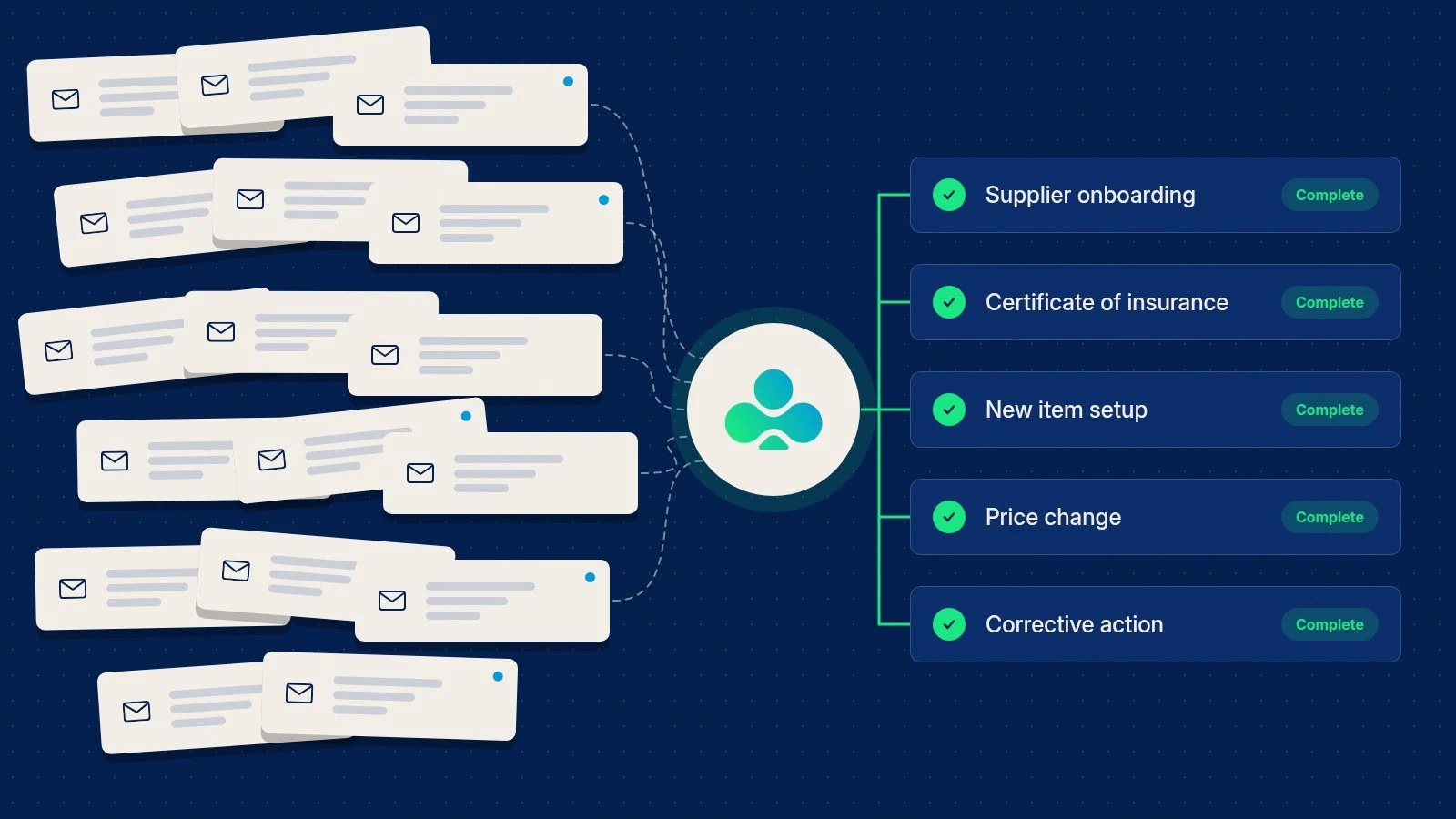
Most supplier management doesn't happen in supplier management software. It happens in email, spreadsheets, shared drives and the supplier master in the ERP, held together by the people who know where everything is. That's what I mean by traditional supplier management, and it's still how most mid-market companies run the everyday work we call supplier operations.
It works for a while. Then the supplier base grows, a new regulation lands, or the person who knew where everything was takes another job. This post compares the two approaches on the same piece of work, so you can see where the differences actually show up.
What traditional supplier management looks like
In most companies it runs on four tools.
- Email for requests, reminders, approvals and most decisions.
- Spreadsheets for tracking who has sent what, usually one per process and often one per person.
- Shared drives for W-9s, certificates of insurance and contracts.
- The ERP supplier master for the final record, with the supplier number, address, payment terms and banking.
Each tool does its own job well. Email moves messages, spreadsheets hold lists, drives store files and the ERP records transactions. None of them was designed to run a process with someone outside your company. The process itself, meaning who needs to do what, by when, and whether it was done right, lives in people's heads and inboxes.
One supplier, two ways
Take a single new supplier being onboarded by a buying organization, whether that's a retailer, a distributor, a manufacturer or a hospital system.
The traditional way
- A buyer emails the supplier a welcome note with a form attached and a list of what's needed, such as a W-9, a certificate of insurance, banking details, a signed code of conduct and any certifications your industry requires.
- The supplier sends back three of the five, one of them as a photo taken on a phone.
- Someone on the team checks the certificate of insurance by eye. Is the coverage high enough? Is your company named as additional insured? Does it expire before the contract starts?
- Two reminder emails later, the rest arrive. One goes to a colleague who is out that week.
- Banking details are typed into the ERP from a PDF. A second person calls the supplier to confirm them, because changed bank details are a favourite target for fraud.
- Approval happens in a reply-all thread. The tracking spreadsheet is updated, if someone remembers.
Two weeks later, the supplier is live. A year later, the certificate expires and nobody notices until it matters. When an auditor asks why the supplier was approved with a lower coverage limit, the answer is in the inbox of someone who has since left.
The same supplier in Clover
- The buyer starts the onboarding workflow for the new supplier. The supplier receives one task with every requirement, in order.
- The supplier works through a guided form, step by step, with no training needed. Fields are checked as they're entered, and each document is uploaded in the step that asks for it.
- AI Review reads the certificate of insurance against your requirements and flags anything short, such as a coverage limit below your minimum or a missing additional insured.
- Reminders go out automatically, and a stalled task can be reassigned to the team that owns it.
- Approval happens inside the workflow, and the reason for the decision is recorded with it.
- Expiry dates are tracked from the day each document arrives, and the renewal request goes out on its own.
The supplier still sends the same documents. What changes is that the process is defined once and runs the same way every time, and the record of what happened, and why, stays with the supplier.
Side by side
| | Traditional | Clover | | --- | --- | --- | | Asking for information | Emails and attachments, written fresh each time | One task per supplier, built from a reusable workflow | | What the supplier sees | An email and a spreadsheet to interpret | A guided form that needs no training | | Checking documents | By eye, when someone has time | Checked on arrival, with AI Review for documents like COIs | | Chasing | Reminders sent from individual inboxes | Automatic reminders and reassignment | | Re-keying | Typing from PDFs and emails into the ERP | Structured data collected once, sent onward by API or webhook | | Renewals | A spreadsheet column, if anyone checks it | Expiry tracked and renewal requests sent automatically | | Visibility | Ask whoever owns the spreadsheet | Live status for each supplier and each campaign | | Audit trail | Scattered across inboxes and folders | Every change and decision recorded, with who made it and why | | Getting started | Nothing to set up | A configured workflow, typically live in weeks |
Where the difference shows up
At 20 suppliers, email is fine. You know everyone, and you can hold the state of each request in your head. At 200, the spreadsheet becomes the system, and it's only as current as the last person who updated it. At 2,000, a single request, like collecting updated certificates or confirming country of origin for every product, turns into a campaign that takes a team weeks to run and months to close out.
Traditional supplier management scales by adding people. Every new supplier adds a little more email, a little more checking and a little more memory that has to live somewhere. Software scales by running the same process for the 2,000th supplier exactly as it ran for the first. In Clover, a campaign sends one workflow to hundreds or thousands of suppliers at once and tracks completion across the whole group.
When the traditional way is enough
Not every company needs supplier management software, and it's worth being honest about that. Email and spreadsheets are a reasonable choice when:
- you work with a small, stable group of suppliers that rarely changes;
- your compliance requirements are light, with few documents that expire;
- one or two people own every supplier relationship and plan to stay;
- nobody outside the company, such as an auditor, a regulator or a large customer, asks you to prove what you collected and when.
Once two or more of those stop being true, the hidden cost of the traditional approach grows quickly.
What to look for in supplier management software
If you're ready to move off email and spreadsheets, these are the things that matter most in practice.
- A simple experience for suppliers. Some of your suppliers will be very tech-savvy and others not at all. The experience has to work for both, with no training, or response rates fall.
- Workflows you can configure yourself. Your onboarding, certificate and price change processes are specific to you. Changing a requirement shouldn't need a software project.
- Validation when data arrives. Catching a wrong tax ID or an expired certificate at submission costs far less than catching it at audit.
- Bulk requests with tracking. You'll need to ask every supplier for the same thing more than once a year.
- A complete record of decisions. Who approved what, when, with which exception, and why.
- Connections to what you already run. An API and webhooks, so approved data reaches your ERP without retyping.
- Time to value measured in weeks. A long implementation means email and spreadsheets stay in charge for another year.
Where to start
Start with the process that causes the most chasing. For most teams that's supplier onboarding or certificate renewals. Pick one, run it in a structured way, and measure how much email it takes away.
To see what that looks like with your own requirements, read how supplier onboarding works in Clover, or book a demo and we'll walk through it together.
 Josh McBride