Vendor portal or supplier operations platform: what you actually need
A vendor portal gives your suppliers somewhere to log in. Five questions to tell whether that is enough, or whether you need a system that runs the work behind it.


You have a supplier problem, and someone on the team has already named the fix. "We need a vendor portal."
Onboarding takes weeks, certificates lapse without anyone noticing, and every request lives in somebody's inbox. A portal sounds like the obvious answer.
Sometimes it is. Often it moves the upload to a website and leaves the chasing, checking and approving right where they were. Before you sign anything, it's worth knowing which problem you actually have.
What is a vendor portal?
A vendor portal is a secure website where your suppliers log in to share information with you. Most let a supplier register, upload documents, update contact and bank details, and see purchase orders, invoices or payment status. "Vendor portal" and "supplier portal" mean the same thing.
Portals usually come from one of three places.
- Your ERP. The enterprise resource planning system that holds your finance and purchasing records may include one.
- Accounts payable software. Invoicing and payment tools often add one for invoices and payment status.
- Your own team. Some companies build a simple portal in-house.
Why do teams with a portal still chase suppliers by email?
Because most portals are built to receive things and leave the checking, chasing and deciding to people.
Here is what that looks like for one certificate of insurance (COI), the document a supplier's insurer or broker issues to show what coverage they carry. The supplier uploads it to the portal. Then someone on your team has to do five things.
- Notice that it arrived.
- Open it and check the limits, dates and the company the policy covers against what your contract requires.
- Email the supplier when the policy doesn't list your company as an additional insured (covered under their policy).
- Wait, then check the replacement.
- Note the expiry date somewhere and remember to ask again next year.
Every one of those steps happens outside the portal, in email or a spreadsheet, and every one of them falls to your team.
Now multiply that by every request you send suppliers. Tax forms and registration details (a W-9 in the US, a VAT or GST number in many other countries), quality and compliance certificates, price change requests.
Each has its own cycle of request, check, chase, decide and renew, and only the request part happens in a portal.
What does a supplier operations platform do differently?
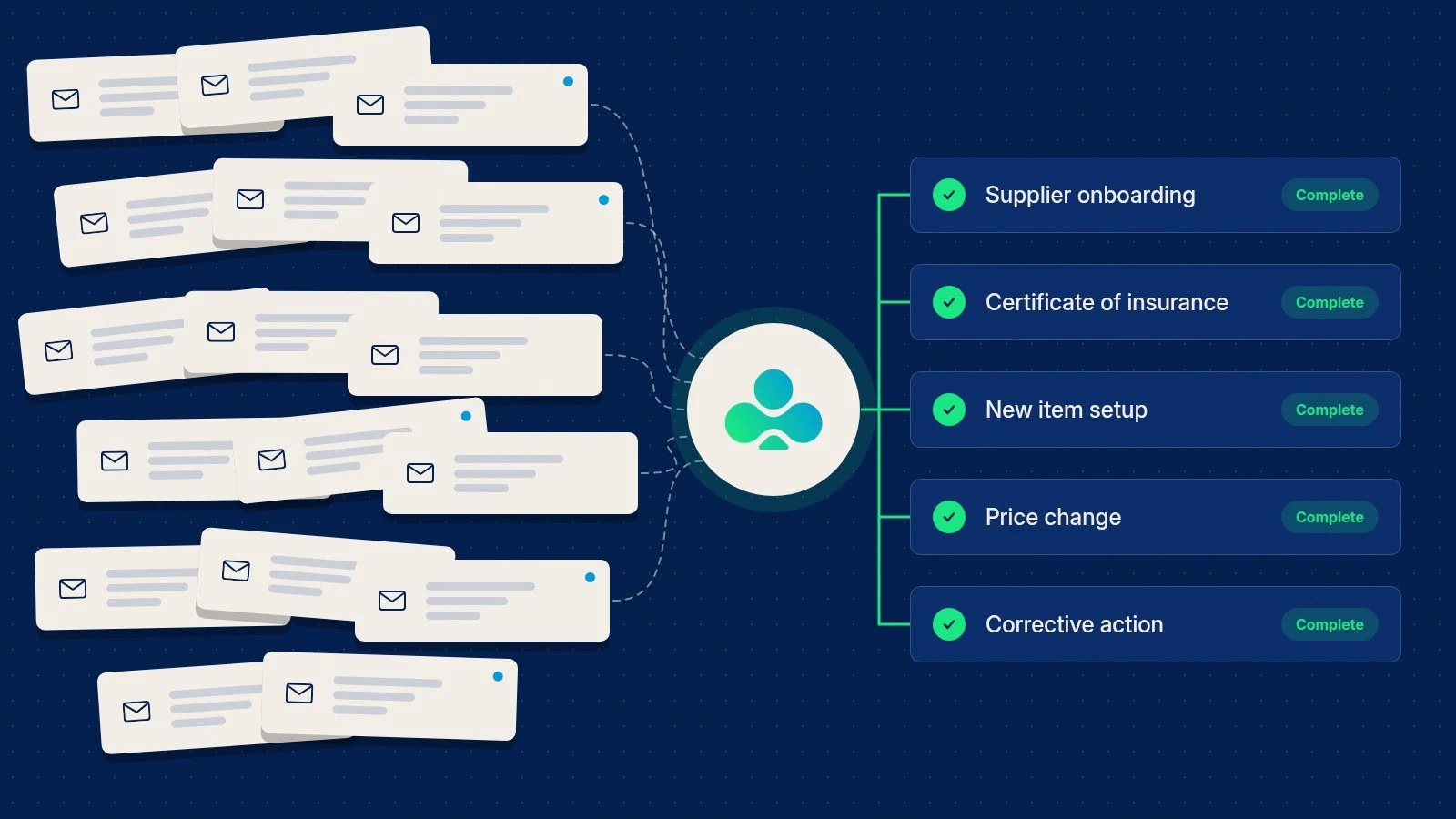
A supplier operations platform treats each request as a piece of work with a start, a finish and a record. The upload is one step inside that work.
Take the same certificate. On a platform, the request goes out as a task with your requirements attached. The document is checked as it arrives, so a low limit or the wrong company name goes straight back to the supplier with a clear note, and nobody on your team drafts an email.
A reviewer sees it only when a decision is needed, approves or returns it, and the reason is saved. The expiry date sets up next year's renewal request on its own.
There's a simple way to picture it. A portal is the front door, and a platform is the building. Your suppliers still need a door, and any good platform gives them one along with the work behind it.
Does it matter to your suppliers which one you pick?
More than you might think. Your suppliers work with many customers, and each customer brings its own login, so your portal is rarely the first one a supplier has seen.
They notice how quickly they can finish what you asked and whether they hear back. A portal that takes an upload and then goes quiet for two weeks feels like more work to them.
For you, that shows up as slower responses, documents that arrive late or incomplete, and more of your team's week spent on reminders.
How do you know which one you actually need?
Run your current supplier work through five questions. Be honest with the answers, because they decide the purchase.
- How many different requests do you send suppliers each year? If it's one or two, say registration and invoices, a portal may be all you need. If it's onboarding, insurance, certifications, product data and price changes, you're running several processes, and each one needs a workflow.
- What happens after the upload? If the answer is "someone downloads it and emails three people," a portal hasn't solved your problem.
- Who chases the supplier when something is missing or wrong? If a person writes every reminder, you've bought a place to store files and kept the chasing for yourself.
- What happens when a document expires? If renewals depend on a spreadsheet and somebody's memory, they will slip.
- Can you show who approved a supplier, and why? Auditors, customers and your own finance team will ask. You need the file, the decision and the reason, all in one record.
If the first answer is short and the other four are easy, buy a simple portal and spend the rest of the budget elsewhere. If questions two through five made you wince, a nicer upload screen won't fix it.
What should you insist on, whichever you choose?
If you take one thing into software demos next year, make it this. Ask to see one request run from start to finish, including the part where something comes back wrong.
Ask to watch a supplier submit something that doesn't meet your requirements, such as an outdated document, a missing signature or the wrong legal name, then follow it through.
- What catches it?
- Who is told, and how does the supplier learn what to fix?
- Where is the decision recorded?
- How does the approved data reach your ERP?
A few more things are worth asking for in writing.
- Suppliers use it free, with one login for everything you ask of them.
- Requirements are checked the moment a supplier submits.
- Renewals start themselves from dates already on file.
- Every decision keeps who made it, when and why.
- Your own team can set up a new process without a development project.
Where do we fit?
This is the gap we built Clover to close. Suppliers get one portal for every request, free, and behind it each process runs as a workflow, checked at submission, routed to the right reviewer and recorded. You can see how that works for supplier onboarding, document collection and certificate renewals.
If you're making the case internally, it helps to know what the email version costs you today. Michael worked through that in what it really costs to onboard a supplier by email.
Frequently asked questions
Is a vendor portal the same as a supplier portal? Yes. Both names describe the same software, a secure site where suppliers log in to share information with a buyer. "Vendor" is more common in finance, and "supplier" is more common in procurement and operations.
Is vendor portal software the same as vendor management software? They overlap. Vendor portal software is the part suppliers see and use. Vendor management software usually adds your internal work too, such as reviews, contracts, risk and performance, so ask any provider which side they really cover.
Do we have to replace the supplier portal in our ERP? Usually not. You can keep the ERP portal for purchase orders and invoices, and run onboarding, compliance and other supplier requests on a separate platform that sends approved data back to the ERP.
See what your supplier requests look like as workflows. Book a demo

 Michael Owens

 Shawn Cady